Find your words.
Draft a message, work through an idea, or make something easier to understand.
Chat · Qwen3 1.7B Neo Local AI
A little universe of your own
Neo Local AI is an everyday assistant that lives on your computer. Write, code, and explore images with three free local models.
Choose your download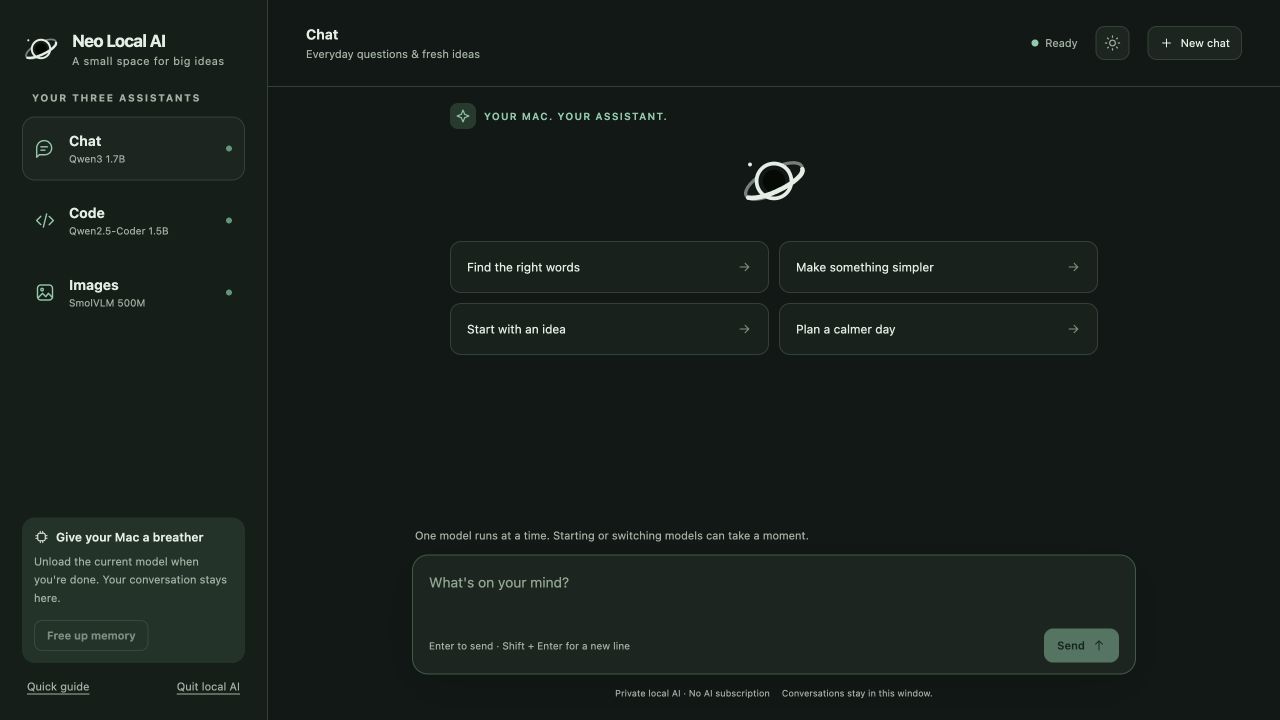
One app. Three ways to get a little further.
Small models. Useful company.
Choose the assistant that fits the moment. Neo runs one model at a time to keep things manageable on your computer.
Draft a message, work through an idea, or make something easier to understand.
Chat · Qwen3 1.7BAsk about a small coding task, understand a function, or sketch a starting point.
Code · Qwen2.5-Coder 1.5BAdd an image and ask what’s visible. Best for simple questions about clear pictures.
Images · SmolVLM 500MFrom download to first conversation
Choose your computer below and unzip Neo. On a Mac, move the app to Applications. On Windows, keep the extracted folder together and open Start Neo Local AI.
Open Neo and choose to download its three models. You’ll need an internet connection for this first setup.
Choose Chat, Code, or Images. Once setup is complete, the models run on your own computer—even offline.
Your next idea starts here
Free local AI. Ready when you are.
Version 1.3 · Early access · Apple silicon
Download for Mac — 22.4 MBZIP file · Version 1.3 · Download checksum
For Apple silicon Macs. Intel Macs aren’t supported.
Version 1.3 · Windows preview · 64-bit
Download for Windows — 23.8 MBZIP file · Windows preview · Download checksum
Some PCs need Microsoft’s free C++ runtime; Neo checks when it opens. This preview hasn’t yet been tested on a Windows PC. ARM-based Windows devices aren’t supported.
A few things to know
Neo uses freely available models running on your own hardware. There is no paid AI API, AI subscription, or Neo account. You use your own storage, electricity and internet connection for the initial downloads.
Yes, after the models finish downloading. Chat, code help and image questions run on your computer. Neo does not browse the web or automatically know current news.
The local assistants process your messages and images on your computer. Model files are downloaded from Hugging Face during setup. This website does not collect your chats.
These are small models designed to fit modest hardware. They can make mistakes, particularly with complex reasoning, detailed images or longer tasks. Check important answers and review any code before using it.
No. Each person installs their own copy and models. Your conversations run on your computer, independently of the person who shared Neo with you.
This website provides downloads; it cannot access the AI or files on your computer. Use Neo on a personal computer with trusted users and programs. Neo blocks unrelated browser websites, but it does not isolate the app from other programs or user accounts on the same computer. Keep your operating system updated.
Conversations stay in the current app window or browser tab. Quitting or refreshing clears the conversation view. Copy anything you want to keep.